What to Look for When Hiring a Security Consultant (Honest Advice)

Hiring a security consultant can feel like a leap of faith, especially if you’re not a security expert yourself. How do you evaluate someone’s expertise in a field you’re hiring them because you don’t fully understand?

Here’s straightforward guidance on what to look for, what to watch out for, and how to make sure you’re getting real value from the engagement.


Start with What You Actually Need

Before you start evaluating consultants, get clear on what you’re trying to accomplish. The security consulting world is broad, and different firms specialize in different things.

Common needs for small and medium businesses:

  • Security assessment: “We want to know where we stand and what to fix”
  • Penetration testing: “We want to know if someone could actually break in”
  • Compliance alignment: “We need to meet regulatory or contractual requirements”
  • Security program development: “We need to build security practices from scratch”
  • Incident response: “Something happened and we need help”
  • Specific technical review: firewall rules, cloud configuration, Active Directory, etc.

Checklist

A consultant who’s great at one of these isn’t necessarily great at all of them. Knowing what you need helps you find the right fit.


What to Look For

Relevant Experience

Security is a broad field. Ask about experience that’s relevant to your specific situation:

  • Have they worked with businesses your size?
  • Do they have experience with your type of environment (on-prem, cloud, hybrid)?
  • Have they done the specific type of work you need?
  • Can they speak to your industry’s challenges?

A consultant who’s spent 15 years securing Fortune 500 companies has valuable experience, but they might not be the best fit for a 30-person business with a modest IT budget. Look for someone who understands the constraints and realities of your environment.

Clear Communication

Security is full of jargon, and some consultants hide behind it, either intentionally or because they’re so deep in the field they’ve lost the ability to explain things plainly.

A good consultant should be able to:

  • Explain what they’re going to do in terms you understand
  • Describe findings without drowning you in technical details
  • Connect security issues to business impact
  • Answer your questions without making you feel uninformed

If someone can’t explain their approach clearly before the engagement, their report probably won’t be clear either.

Defined Deliverables

Before any work begins, you should know exactly what you’re getting. A professional engagement includes:

  • Scope document: what’s being tested, reviewed, or assessed
  • Timeline: when work starts, how long it takes, when you get results
  • Deliverables: what the final output looks like (report format, executive summary, remediation guidance)
  • Pricing: transparent, tied to the scope, with no hidden fees

Be cautious of consultants who are vague about deliverables. “We’ll assess your security and provide recommendations” isn’t specific enough. What systems? What methodology? What format? These details matter.

Credentials (But Keep Perspective)

Certifications matter, but they’re not everything. Here’s a balanced take:

Certifications that demonstrate broad security knowledge:

  • CISSP: widely recognized, covers a broad range of security domains
  • CISM: focused on security management and governance
  • CompTIA Security+: solid foundation-level certification

Certifications that demonstrate technical depth:

  • OSCP/OSCE: hands-on offensive security (penetration testing)
  • GIAC certifications: specialized technical areas (forensics, incident response, cloud security)

Certifications tell you someone studied and passed an exam. They don’t tell you whether they can communicate clearly, manage a project, or deliver useful results. Look at certifications as part of the picture, not the whole picture.

References and Examples

Ask for:

  • References from businesses similar to yours
  • Sample deliverables: redacted reports or executive summaries that show the quality of their output
  • Case studies: how they’ve helped businesses in comparable situations

If a consultant can’t provide any evidence of past work, that’s a red flag.


What to Watch Out For

Fear-Based Selling

“You’re going to get breached if you don’t hire us immediately” is a sales tactic, not professional advice. Security risks are real, but a good consultant educates you; they don’t scare you into buying.

Be wary of anyone who leads with fear and urgency rather than understanding your specific situation first.

Scope Creep Without Communication

Projects sometimes uncover more than expected, and that’s normal. But a consultant who keeps expanding the engagement without discussing it with you first is a problem.

The right approach: “During our assessment we found X, which is outside the original scope. Here’s what it means and what it would cost to include. Your call.”

Jargon Without Substance

Some consultants deliver reports full of technical findings with no business context. A 50-page vulnerability report with no prioritization, no executive summary, and no remediation guidance isn’t useful; it’s overwhelming.

Your report should tell you: what’s most important, what it means for your business, and what to do about it in what order.

One-Size-Fits-All Approaches

Your business is different from every other business. A consultant who offers the same package to everyone, regardless of environment, isn’t tailoring their work to your actual needs.

Look for someone who asks questions about your environment, your goals, and your constraints before proposing a solution.

Long-Term Contracts Upfront

Be cautious of consultants who push ongoing retainers or multi-year contracts before they’ve done any work for you. Project-based engagements let you evaluate the relationship and the quality of work before making a bigger commitment.


Questions to Ask Before You Hire

Security Consultant

Here’s a practical checklist for your evaluation conversations:

  1. What’s your experience with businesses like ours? (Size, industry, environment type)
  2. What methodology do you use? (They should be able to explain their approach clearly)
  3. What does the deliverable look like? (Ask for a sample or description)
  4. How do you handle findings outside the original scope? (Tests their communication approach)
  5. What certifications and experience does your team have? (Verify credentials)
  6. Can you provide references? (From businesses similar to yours)
  7. What’s included in the price? (Scope, deliverables, follow-up)
  8. What’s your availability and timeline? (Realistic scheduling)

The Bottom Line

Hiring a security consultant is an investment in understanding and improving your security posture. The right consultant gives you clarity, actionable guidance, and confidence that you’re spending your limited resources where they matter most.

The wrong one gives you a pile of jargon, a vague sense of anxiety, and a lighter wallet.

Take the time to evaluate. Ask the hard questions. And look for someone who treats the engagement as a partnership, where the goal is to educate and empower your team, not create dependency.

At DC Security Solutions, this is how we approach every engagement: clear scope, transparent pricing, actionable results, and a focus on helping you understand your security, not just checking a box.

– Derek, Founder of DC Security Solutions.


DC Security Solutions offers custom security engagements tailored to your business needs. Learn more →

Why Every Business Needs an Asset Inventory Before Anything Else

Here’s a question that trips up a lot of businesses: “How many devices are on your network right now?”

If the answer is “I’m not sure” or “probably around 40-50,” you’re not alone, and you’ve just identified the first thing your security program needs to address.

An asset inventory is the foundation everything else in security is built on. Without one, every other security investment is less effective than it should be.


You Can’t Secure What You Don’t Know About

This isn’t just a security cliché; it’s a practical reality that plays out in organizations every day.

Asset Inventory

Consider what happens without an asset inventory:

  • Patching: You push updates to the machines you know about. The three servers someone spun up for a project last year? Those don’t get patched.
  • Vulnerability scanning: You scan your known systems. The legacy device in the server closet that nobody remembers? That doesn’t get scanned.
  • Access control: You manage user access to documented systems. The SaaS tool that marketing signed up for with a corporate credit card? That’s outside your visibility.
  • Incident response: Something gets compromised. How long does it take to figure out what it was, what it was connected to, and what data it had access to? Without an inventory, the answer is “too long.”

Every security activity assumes you know what you’re protecting. If that assumption is wrong, you’re building on sand.


What an Asset Inventory Actually Includes

An asset inventory doesn’t need to be complicated, but it does need to be comprehensive. Here’s what it should cover:

Hardware Assets

  • Servers: physical and virtual, on-premises and cloud
  • Workstations and laptops: every device your employees use
  • Network devices: routers, switches, firewalls, access points
  • Mobile devices: phones and tablets with access to company data
  • Peripherals: printers, scanners, IoT devices, anything with a network connection

Software Assets

  • Operating systems: what’s running on every device, including version numbers
  • Applications: installed software, both sanctioned and unsanctioned
  • Cloud services: SaaS platforms, cloud infrastructure, third-party integrations
  • Licenses: what you’re paying for and whether it matches what’s deployed

Data Assets

  • Where sensitive data lives: which systems store customer data, financial records, intellectual property
  • How data flows: between systems, to the cloud, to partners and vendors
  • Who has access: which users and systems can reach sensitive data

Network Information

  • IP address ranges: what subnets exist and what’s on them
  • Network diagrams: how your network is structured and segmented
  • External connections: VPNs, cloud connections, partner links

Why It Has to Come First

Every security framework starts with asset management for a reason:

  • CIS Controls: Control 1 is “Inventory and Control of Enterprise Assets.” Control 2 is software inventory. They’re first on the list because everything else depends on them.
  • NIST CSF: The Identify function starts with Asset Management (ID.AM). You can’t protect, detect, or respond effectively without it.
  • ISO 27001: Asset management is a foundational control in Annex A.

This isn’t a coincidence. The people who built these frameworks understand that asset management is a prerequisite, not just another control. Skip it, and every subsequent control is less effective.


How to Build One (Practically)

You don’t need expensive tools to build an initial asset inventory. Here’s a practical approach:

Phase 1: Discover What’s There

Start with what you know and then verify:

  • Network scanning: tools like nmap or commercial solutions can discover every device on your network
  • Active Directory or endpoint management: if you have these, export your known device lists
  • Cloud console review: check AWS, Azure, GCP, or Microsoft 365 admin centers for cloud assets
  • Walk the building: seriously. Physical walkthroughs catch devices that don’t show up on network scans (unplugged servers, standalone systems, IoT devices on separate networks)

Phase 2: Document What You Found

For each asset, capture at minimum:

  • What it is: device type, make/model
  • Where it is: physical location or cloud region
  • What it does: its purpose and business function
  • Who owns it: the person or team responsible
  • What’s running on it: OS, key applications, services
  • How critical it is: what happens if it goes down

A spreadsheet works fine to start. You can migrate to dedicated tools later as your inventory matures.

Phase 3: Identify the Gaps

Once you have your initial inventory, look for:

  • Unknown devices: things on your network that nobody can explain
  • Unmanaged systems: devices that aren’t covered by your patching, monitoring, or backup processes
  • Shadow IT: cloud services and applications being used without IT knowledge
  • End-of-life assets: hardware and software that’s no longer supported

Phase 4: Keep It Current

An asset inventory is only useful if it’s maintained. Build in processes to keep it updated:

  • Onboarding/offboarding: add and remove assets as they’re deployed or decommissioned
  • Regular reviews: quarterly at minimum, compare your inventory against a fresh network scan
  • Change management: any significant change to the environment should trigger an inventory update
known devices

The Cost of Skipping It

Organizations that skip asset management don’t save time; they spend more time later:

  • Longer incident response times: because you’re discovering your own environment during a crisis
  • Incomplete security assessments: because the assessor can’t evaluate what they don’t know exists
  • Wasted security spending: tools protecting half your environment give you a false sense of security
  • Compliance failures: auditors will ask for your asset inventory, and “we don’t have one” is a finding

The Bottom Line

An asset inventory isn’t the most exciting part of security. But it’s the most important foundation. Every security program, every framework, and every assessment assumes you know what you have. If you don’t, that’s where you start.

If you’re not sure where to begin or want help building an inventory that ties into your broader security program, that’s something we can walk you through. We offer asset management presentations and consulting specifically designed to help small businesses establish this critical foundation.

– Derek, Founder of DC Security Solutions.


DC Security Solutions provides asset management guidance and presentations as part of our security consulting services. Learn more →

What an Internal Vulnerability Scan Actually Finds

If you’ve never had an internal vulnerability scan done, the concept can feel abstract. What does it actually look at? What kind of problems does it find? And what do you do with the results?

Let’s demystify it. Here’s what an internal vulnerability scan actually does, what typical findings look like, and why it’s one of the most valuable things you can do for your security posture.


What an Internal Vulnerability Scan Is

An internal vulnerability scan is an automated assessment of the systems inside your network. Unlike an external scan (which looks at what’s exposed to the internet), an internal scan evaluates what an attacker would see if they were already inside your network, or what a malicious insider could access.

vulnerability scan

The scanner connects to your internal network and systematically checks hosts, servers, workstations, and network devices for known vulnerabilities, misconfigurations, and security weaknesses.

It’s not a penetration test; it doesn’t try to exploit what it finds. It identifies and catalogs vulnerabilities so you can prioritize and fix them before someone else finds them.


What It Typically Finds

Every environment is different, but certain categories of findings show up in nearly every internal scan. Here’s what to expect.

Missing Patches

This is almost always the biggest category. Operating systems, applications, and firmware that haven’t been updated contain known vulnerabilities, many of which have public exploits available.

Common examples:

  • Windows servers missing critical security updates
  • Outdated versions of software like Java, Adobe, or web browsers
  • Network device firmware that hasn’t been updated in years
  • Database servers running versions past end-of-life

Missing patches are straightforward to fix but easy to overlook, especially in environments without a formal patch management process.

Weak or Default Configurations

Systems often ship with default settings that prioritize ease of use over security. If those defaults were never hardened, they become vulnerabilities.

Common examples:

  • Default credentials on network devices, printers, or management interfaces
  • Services running with unnecessary privileges
  • Unnecessary ports and services exposed
  • Weak encryption protocols still enabled (SSL 3.0, TLS 1.0, weak cipher suites)
  • SNMP using default community strings like “public” or “private”

These findings are common in environments where systems were deployed and never security-hardened.

End-of-Life Software

Software that’s no longer supported by the vendor no longer receives security updates. Running it means known vulnerabilities will never be patched.

Common examples:

  • Windows Server 2012/2012 R2 (end of extended support)
  • Older versions of SQL Server, Exchange, or Linux distributions
  • Legacy applications that depend on outdated frameworks
  • Network devices running firmware the vendor no longer supports

End-of-life findings require a plan, either upgrade, migrate, or implement compensating controls.

Certificate and Encryption Issues

Internal services often use self-signed, expired, or weakly configured certificates. While these might not seem critical on an internal network, they can enable man-in-the-middle attacks and indicate broader security hygiene issues.

Common examples:

  • Expired SSL/TLS certificates on internal web applications
  • Self-signed certificates with no internal CA
  • Services using deprecated protocols (TLS 1.0/1.1)
  • Weak key sizes (1024-bit RSA)

Network Segmentation Gaps

A scan sometimes reveals that systems can communicate with each other when they shouldn’t be able to. Flat networks, where everything can talk to everything, amplify the impact of any single compromise.

Common examples:

  • Workstations with direct access to database servers
  • Guest Wi-Fi on the same network segment as production systems
  • No separation between development and production environments

What the Results Look Like

A well-run vulnerability scan produces a report organized by severity:

SeverityWhat It MeansTypical Action
CriticalActively exploitable, high impactFix immediately
HighExploitable with significant riskFix within 30 days
MediumRepresents real risk, lower exploitabilityFix within 90 days
LowMinor risk, best practice improvementsAddress during normal maintenance
InformationalNot a vulnerability, but worth notingReview and document

Each finding includes a description of the vulnerability, which hosts are affected, and recommended remediation steps. The best reports also include context, not just what’s wrong, but what it means for your business and what to prioritize.

security map

Common Questions

“Will it break anything?”

A properly configured vulnerability scan is non-intrusive. It’s identifying vulnerabilities, not exploiting them. That said, it’s good practice to schedule scans during maintenance windows and coordinate with your IT team, especially the first time.

“How often should we scan?”

At minimum, quarterly. Monthly is better. The idea is to catch new vulnerabilities as they emerge, not just the ones that existed when you last looked.

“Can we do this ourselves?”

You can. Tools like Nessus, OpenVAS, and Qualys all offer scanning capabilities. The challenge for most small businesses isn’t running the scan; it’s interpreting the results, filtering out false positives, and building an actionable remediation plan. That’s where having an experienced set of eyes on the results makes a real difference.

“What do we do with the results?”

Prioritize and remediate. Start with critical and high findings, work your way down. Track your progress over time. Each subsequent scan should show improvement; that’s how you know your security posture is getting stronger.


The Bottom Line

An internal vulnerability scan shows you what’s actually happening inside your network, not what you think is happening. It’s one of the most practical, cost-effective security activities any business can do, and the findings almost always include things nobody knew about.

If you’ve never had an internal scan done, the results will give you a clear and prioritized list of things to fix. If you’ve had one before, regular scanning keeps you on track and catches new issues before they become problems.

We provide internal vulnerability scans with clear, actionable reporting, not just a raw data dump, but findings with context, priorities, and remediation guidance tailored to your environment.

– Derek, Founder of DC Security Solutions.


DC Security Solutions provides internal vulnerability scanning with actionable remediation guidance. Learn more →

The Real Cost of Weak Passwords (And How to Fix Yours Today)

Passwords are the security measure everyone knows about and almost nobody gets right. Despite being the most basic form of authentication, weak passwords remain one of the top causes of security breaches, and the problem isn’t going away.

weak passwords

Let’s talk about what weak passwords actually cost businesses, why the problem persists, and what you can do about it starting today.


The Numbers Don’t Lie

Compromised credentials are involved in a staggering percentage of data breaches. Year after year, industry reports tell the same story:

  • Over 80% of hacking-related breaches involve stolen or weak credentials (Verizon DBIR, consistently)
  • The average cost of a data breach for small businesses ranges from $120,000 to $1.24 million, depending on the study and scope
  • Password reuse is rampant; studies show the average person reuses passwords across 5+ accounts

For a small business, a single compromised account can lead to:

  • Business email compromise: attackers using a legitimate email account to request fraudulent wire transfers or steal data
  • Ransomware deployment: one set of credentials is often the foothold attackers need
  • Data exposure: customer records, financial information, intellectual property
  • Regulatory consequences: if you’re in a regulated industry, a breach triggered by weak passwords is an expensive compliance problem
  • Reputational damage: the kind that’s hard to put a dollar figure on

The cost of a breach almost always dwarfs the cost of preventing one. And passwords are one of the most preventable attack vectors there is.


Why the Problem Persists

If everyone knows passwords matter, why are they still so bad? A few reasons:

Complexity Rules Made Things Worse

For years, the standard advice was to require uppercase, lowercase, numbers, and special characters. The result? People created passwords like P@ssw0rd1!, technically meeting the requirements while being trivially guessable.

Complexity requirements trained people to make passwords that are hard for humans to remember and easy for computers to crack.

People Reuse Passwords

When you force people to create complex passwords for dozens of accounts, they cope by reusing the same password (or minor variations) everywhere. When one service gets breached, attackers try those credentials against every other service. It works more often than you’d think.

No Visibility

Most businesses have no idea how strong (or weak) their actual passwords are. Without testing, you’re relying on policy compliance, and people find ways around policies.

Convenience Wins

People default to whatever’s easiest. Without tools that make strong passwords convenient, you’re fighting human nature.


How to Fix It

The good news: password security is a solvable problem. Here’s what actually works.

1. Shift to Length Over Complexity

Modern guidance from NIST (SP 800-63B) recommends:

  • Minimum 16 characters for user-created passwords
  • Drop mandatory complexity rules (the uppercase/number/special character requirements)
  • Screen passwords against known breach lists to block compromised passwords
  • Allow passphrases: a string of random words is both stronger and easier to remember than Tr0ub4dor&3

A password like correct-horse-battery-staple is dramatically stronger than P@ssw0rd1! and easier to remember. Length is the single biggest factor in password strength.

2. Deploy a Password Manager

Password managers solve the reuse problem by making it trivial to use a unique, strong password for every account. The user only needs to remember one master password; the manager handles the rest.

Good options exist for businesses of every size, and most support team sharing for shared accounts and administrative oversight.

This is the single highest-impact change you can make for password security across your organization.

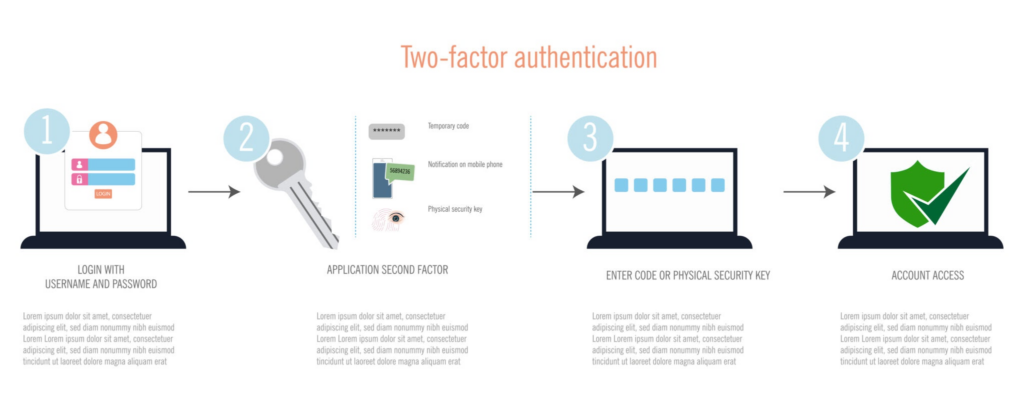
3. Enable Multi-Factor Authentication

MFA doesn’t fix weak passwords; it makes them less dangerous. Even if a password is compromised, the attacker still needs the second factor.

Prioritize MFA on:

  • Email accounts
  • VPN and remote access
  • Cloud services and admin panels
  • Financial systems

MFA and strong passwords together are dramatically more effective than either one alone.

Secure passwords

4. Test Your Actual Passwords

This is where most organizations stop short. You can have a great password policy on paper, but if you’ve never tested what your users are actually using, you don’t know where you stand.

A password analysis evaluates your organization’s actual password hashes against known breach databases, common patterns, and brute-force simulations. The results show you exactly how many passwords would fall to a real attack, and whose.

It’s often an eye-opening exercise.

5. Educate Your Team

People make better decisions when they understand why. A 15-minute conversation about how password attacks actually work, credential stuffing, brute force, phishing, goes further than any policy document.

When people understand the “why,” they’re more likely to use the password manager, choose better passwords, and stop reusing credentials across personal and work accounts.


What to Do This Week

If you want to start improving your password security right now:

  1. Pick a password manager and start rolling it out, even if it’s just for yourself first
  2. Enable MFA on your email and most critical accounts
  3. Update your password policy to emphasize length (16+ characters) over complexity
  4. Check haveibeenpwned.com to see if your email addresses appear in known breaches

These four actions meaningfully reduce your password-related risk and can be done without any budget.


The Bottom Line

Weak passwords are one of the most common, most preventable, and most expensive security problems businesses face. The tools and practices to fix them exist today; it’s a matter of implementing them.

If you want to know where your organization actually stands, a password analysis will give you a clear picture. We test your real passwords against the same methods attackers use, and deliver actionable results you can act on immediately.

– Derek, Founder of DC Security Solutions.


DC Security Solutions provides password analysis services for small and medium businesses. Learn more →

NIST vs CIS vs ISO: Which Security Framework Is Right for Your Business?

If you’ve started looking into security frameworks, you’ve probably run into three names over and over: NIST, CIS, and ISO 27001. They’re all respected, widely adopted, and designed to help organizations improve their security posture.

But they’re not interchangeable. Each framework has a different philosophy, structure, and ideal use case. Choosing the right one for your business depends on where you are today, where you’re trying to go, and what external requirements you might need to satisfy.

Frameworks

Here’s a practical comparison to help you decide.


The Three Frameworks at a Glance

CIS Controls (Center for Internet Security)

What it is: A prioritized set of security best practices organized into 18 control areas. Designed to be actionable and implementation-focused.

Philosophy: “Do these things, in roughly this order, and you’ll address the most common attack vectors.”

Structure:

  • 18 Controls, each with specific safeguards
  • Three Implementation Groups (IG1, IG2, IG3) based on organizational maturity
  • IG1 is explicitly designed for small businesses with limited resources

Strengths:

  • Highly practical and prescriptive; tells you what to do
  • Prioritized; you know where to start
  • Free to access
  • IG1 is a realistic starting point for small businesses

Best for: Small to medium businesses that need clear, prioritized guidance and want to start with the fundamentals.


NIST Cybersecurity Framework (CSF)

What it is: A risk-based framework organized around five core functions: Identify, Protect, Detect, Respond, and Recover. Recently updated to version 2.0, which added Govern as a sixth function.

Philosophy: “Understand your risks and build capabilities across these functional areas.”

Structure:

  • 6 Core Functions (Govern, Identify, Protect, Detect, Respond, Recover)
  • Categories and subcategories within each function
  • Framework Profiles let you define your target state
  • Implementation Tiers (1–4) describe organizational maturity

Strengths:

  • Flexible; adapts to any industry or organization size
  • Risk-based; helps you prioritize based on your specific threat landscape
  • Widely recognized by U.S. government and regulatory bodies
  • Strong community of resources and implementation guides

Best for: Organizations that need a flexible, risk-based approach, especially those in regulated industries or working with government contracts.


ISO 27001

What it is: An international standard for information security management systems (ISMS). It defines requirements for establishing, implementing, maintaining, and continually improving an ISMS.

Philosophy: “Build a formal management system around information security with defined processes and continuous improvement.”

Structure:

  • Clauses 4–10 define ISMS requirements (context, leadership, planning, support, operation, evaluation, improvement)
  • Annex A provides 93 controls across 4 themes (organizational, people, physical, technological)
  • Requires formal risk assessment and treatment processes
  • Certifiable by third-party auditors

Strengths:

  • Internationally recognized certification
  • Comprehensive management system approach
  • Demonstrates security commitment to customers and partners
  • Structured continuous improvement process

Best for: Organizations that need formal certification, work with international clients, or want a comprehensive management system for long-term maturity.


Side-by-Side Comparison

FactorCIS ControlsNIST CSFISO 27001
CostFreeFreeStandard must be purchased; certification costs
PrescriptivenessHigh; tells you what to doModerate; guides what to addressModerate; defines requirements
CertificationNo formal certificationNo formal certificationYes; third-party auditable
Best starting pointIG1 (56 safeguards)Framework ProfileGap assessment
Ease of adoptionEasiestModerateMost complex
International recognitionGoodStrong (U.S. especially)Strongest internationally
Regulatory alignmentHIPAA, PCI (indirect)HIPAA, CMMC, federalGDPR, international contracts
Ideal org sizeSMBs to mid-marketAll sizesMid-market to enterprise

How to Choose

Start with CIS If…

  • You’re a small business getting started with formal security practices
  • You want clear, actionable guidance without ambiguity
  • You don’t have regulatory requirements mandating a specific framework
  • You need something you can implement incrementally with limited staff

Start with NIST CSF If…

  • You need a risk-based approach tailored to your specific environment
  • You work with U.S. government agencies or federal contractors
  • You’re in a regulated industry (healthcare, finance, critical infrastructure)
  • You want a framework that scales as your organization grows

Start with ISO 27001 If…

  • Your clients or partners require ISO certification
  • You operate internationally and need globally recognized credentials
  • You’re ready to invest in a formal management system
  • You have the organizational maturity to support ongoing audit and review processes

They’re Not Mutually Exclusive

Here’s something that often gets overlooked: these frameworks aren’t competing standards. Many organizations use more than one.

A common approach:

  1. Start with CIS IG1 to get the fundamentals in place
  2. Map your progress to NIST CSF for a broader risk-based view
  3. Work toward ISO 27001 if certification becomes a business requirement

The controls in CIS map well to NIST CSF categories, and both align with ISO 27001 Annex A controls. Starting with one doesn’t lock you out of the others; it builds a foundation.


The Bottom Line

The best framework is the one you’ll actually implement. A perfectly chosen framework that sits on a shelf does nothing. A “good enough” framework that drives real action is infinitely more valuable.

For most small and medium businesses, CIS Controls (starting with IG1) is the most practical entry point. From there, you can layer on NIST CSF for risk management or pursue ISO 27001 if the business demands it.

If you’re unsure where to start or want help mapping your current security posture against a framework, an IT risk analysis can give you a clear baseline and a roadmap forward. That’s something we do regularly for businesses in exactly this position.

– Derek, Founder of DC Security Solutions.


DC Security Solutions provides IT risk analysis services including framework assessments against CIS, NIST CSF, and ISO 27001. Learn more →

How to Build a Security Program from Scratch (Even with Zero Budget)

A lot of small businesses assume that building a security program requires a big budget, a dedicated team, and months of planning. That assumption keeps a lot of organizations from ever getting started.

The truth is, a security program doesn’t have to be expensive or complex to be effective. What it has to be is intentional. You need a plan, a few foundational practices, and the discipline to follow through.

Here’s how to get started, even if your security budget is currently zero.


What a “Security Program” Actually Means

A security program isn’t a product you buy. It’s a set of practices, policies, and priorities that guide how your organization protects its information and systems.

Security Program

At its core, a security program answers three questions:

  1. What are we protecting? (Your assets: data, systems, people)
  2. What are we protecting it from? (Your threats: attackers, accidents, disasters)
  3. How are we protecting it? (Your controls: technical, administrative, physical)

You don’t need a 100-page document to answer these questions. You need clarity and follow-through.


Step 1: Know What You Have

You can’t secure what you don’t know about. Before anything else, build a basic inventory of your assets:

  • Hardware: servers, workstations, laptops, network devices, mobile devices
  • Software: operating systems, applications, cloud services, SaaS tools
  • Data: where your sensitive information lives, who has access, how it’s stored
  • People: who has admin access, who manages systems, who handles sensitive data

This doesn’t need to be a perfect inventory. A spreadsheet is fine. The goal is to move from “we think we have about 30 computers” to “here’s a list of every device and system we’re responsible for.”


Step 2: Pick a Framework (Don’t Overthink It)

A security framework gives you a structured way to organize your efforts. You don’t need to implement every control on day one; you need a map to guide your priorities.

For small businesses starting from scratch, the CIS Controls are a strong choice. They’re practical, prioritized, and free. The first several controls focus on the fundamentals, things like asset management, software inventory, access control, and secure configuration.

Other options include NIST Cybersecurity Framework (CSF) and ISO 27001, but CIS is often the most accessible starting point.

The framework you choose matters less than the fact that you chose one and started working through it.


Step 3: Handle the Basics First

With your asset inventory started and a framework selected, focus on the foundational controls:

Access Control

  • Enable multi-factor authentication on everything that supports it
  • Remove access for former employees
  • Limit admin privileges to people who actually need them

Patching

  • Establish a regular patching schedule (monthly at minimum)
  • Prioritize internet-facing systems and critical vulnerabilities
  • Don’t forget firmware on network devices

Backups

  • Verify your backups are running and test a restore
  • Keep at least one backup copy offline or in a separate environment
  • Document your backup and recovery process

Passwords

  • Implement a password policy (length over complexity, use a password manager)
  • Check for compromised passwords using breach databases
  • Pair passwords with MFA wherever possible

These aren’t glamorous. They’re also responsible for preventing the vast majority of successful attacks against small businesses.


Step 4: Write It Down

A security program that lives entirely in someone’s head isn’t a program; it’s tribal knowledge. Start documenting your practices, even if the documents are simple.

Essential documents to start with:

  • Acceptable use policy: what employees can and can’t do with company systems
  • Password policy: your standards for password management
  • Incident response plan: what to do when something goes wrong (even a one-page version is better than nothing)
  • Backup and recovery procedure: how backups work and how to restore
Checklist

These don’t need to be formal or perfect. They need to exist, be accessible, and be reviewed periodically. Especially if you don’t have a dedicated IT department.


Step 5: Build Security Into Your Routine

Security isn’t a project with an end date. It’s an ongoing practice. The most effective security programs aren’t the ones with the biggest budgets; they’re the ones with consistent habits.

Build these into your regular operations:

  • Monthly: review patches, check backup status, review access lists
  • Quarterly: review policies, update asset inventory, assess any changes to your environment
  • Annually: conduct a broader security assessment, review your framework progress, update your roadmap

Step 6: Know When to Get Help

Building a security program from scratch is absolutely something a small business can do on its own, up to a point. There are areas where outside expertise can save you significant time and help you avoid common mistakes:

  • Security assessments to identify what you’re missing
  • Framework alignment to map your current state against a standard
  • Technical reviews of configurations, firewall rules, or architecture
  • Security presentations to get buy-in from leadership or educate your team

You don’t need to hire a full-time security person to get professional guidance. Project-based engagements let you bring in expertise for specific needs without a long-term commitment.


The Bottom Line

Building a security program isn’t about spending money. It’s about being deliberate. Know what you have, pick a framework, handle the basics, write it down, and make it a habit.

Most small businesses are closer to having a real security program than they think. The gap isn’t capability; it’s structure. Put the structure in place, and you’re already ahead of most organizations your size.

If you want help getting started or want a structured presentation on building a security program for your team, that’s something we do. We’ve helped businesses go from zero to a functional security program, one step at a time.

– Derek, Founder of DC Security Solutions.


DC Security Solutions offers security program development guidance and presentations for small and medium businesses. Learn more →

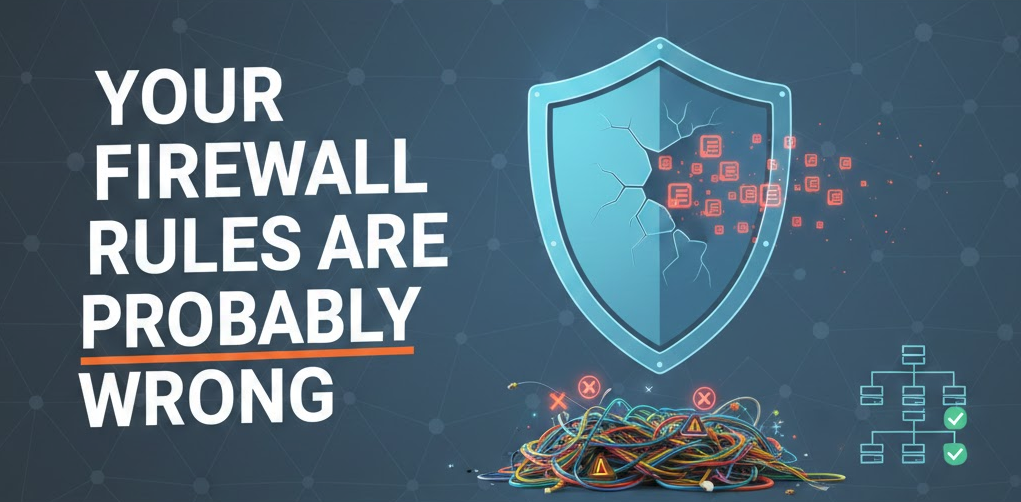
Your Firewall Rules Are Probably Wrong: Here’s How to Check

Firewalls are one of those things that get set up once and then forgotten about. Someone configured the rules when the firewall was deployed, maybe years ago, and unless something broke, nobody’s looked at them since.

Your Firewall Rules are Probably Wrong

The problem? Networks change. Businesses change. And firewall rules that made sense two years ago might be silently exposing you today.

Here’s how firewall rulesets go wrong, what to look for, and how to get them back in shape.


Why Firewall Rules Drift

Firewall rule drift is one of the most common security issues in small and medium businesses. It happens gradually:

  • A vendor needed temporary access and the rule was never removed.
  • An application required a port to be opened and nobody documented why.
  • Someone added an “allow any” rule to troubleshoot a problem and forgot to take it out.
  • The network grew – new subnets, new servers, new cloud connections; and the rules didn’t keep pace.
  • The original admin left and nobody else fully understands the ruleset.

None of these are malicious. They’re just the reality of how firewalls are managed in organizations without dedicated security teams. But the cumulative effect is a ruleset that no longer reflects your actual security requirements.


Red Flags to Look For

You don’t need to be a firewall expert to spot the most common problems. Here’s what should raise an eyebrow:

Overly Permissive Rules

  • “Allow any to any” rules – these effectively turn your firewall into an expensive router. If you have one of these, it should be removed or scoped immediately.
  • Wide-open port ranges – rules that allow traffic on ports 1–65535 or large ranges when only a specific port is needed.
  • Rules allowing all outbound traffic – while common, unrestricted outbound access makes it easy for malware to phone home or exfiltrate data.

Stale Rules

  • Rules referencing IP addresses that no longer exist in your network.
  • Rules for decommissioned servers or services that were never cleaned up.
  • Temporary rules that became permanent – if you see comments like “temp fix” or “remove after migration,” those are worth investigating.

Ordering Issues

Firewall rules are processed in order, top to bottom. A more permissive rule placed above a more restrictive one can effectively negate the restriction. Rule ordering mistakes are common and easy to miss.

No Documentation

If your rules don’t have descriptions or comments explaining their purpose, that’s a problem. Not because it’s a vulnerability per se, but because undocumented rules can’t be properly reviewed, and nobody will know which ones are safe to remove.


How to Do a Basic Review

If you want to take a first pass at your firewall rules, here’s a practical approach:

Step 1: Export Your Ruleset

Most firewalls let you export the current ruleset as a spreadsheet or text file. Get it into a format where you can read through it systematically.

Step 2: Identify “Any” Rules

Search for rules with “any” in the source, destination, or service fields. Each one should be reviewed. Ask: Does this rule need to be this broad, or can it be scoped to specific addresses and ports?

Step 3: Check for Unused Rules

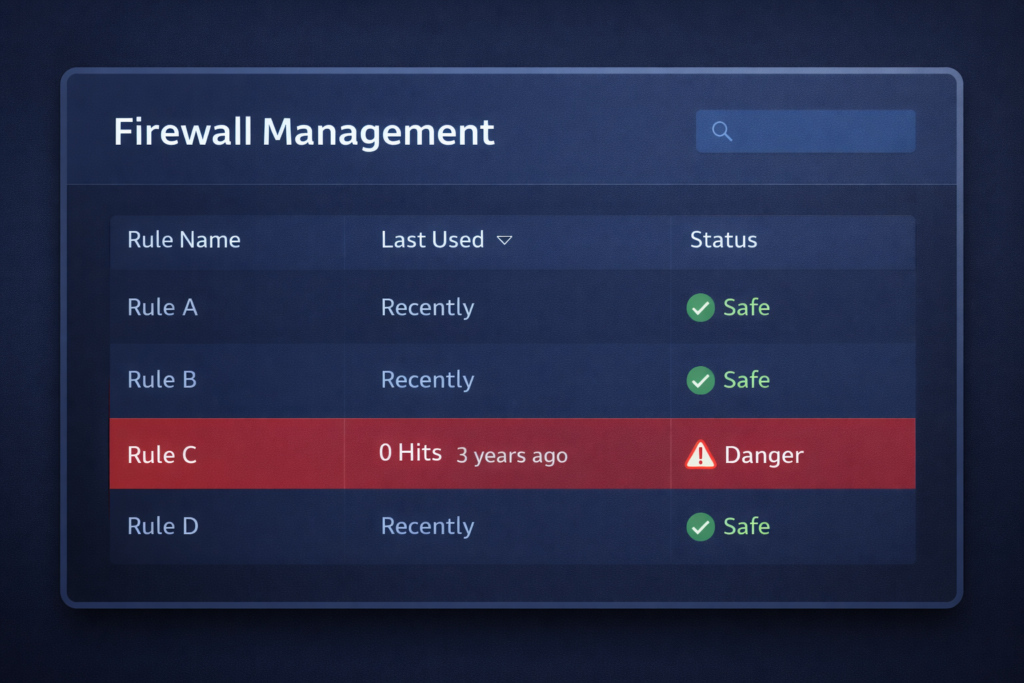
Many firewalls track hit counts, how many times each rule has been triggered. Rules with zero hits over the past 90 days are candidates for removal (after confirming they’re not seasonal or event-driven).

Firewall rule outdated

Step 4: Verify Rule Order

Walk through the ruleset top to bottom. Make sure deny rules aren’t being overridden by allow rules above them. Pay special attention to rules near the top of the list.

Step 5: Document Everything

For every rule you can’t immediately explain, find out why it exists. If nobody knows, that’s a strong signal it should be reviewed more carefully before being left in place.


When to Bring in Help

A basic review can catch the obvious problems, but a thorough firewall analysis goes deeper, examining traffic patterns, testing rule effectiveness, and aligning your ruleset with your actual business requirements and security policies.

This is particularly valuable if:

  • Your firewall hasn’t been reviewed in over a year
  • You’ve gone through significant infrastructure changes
  • You’re preparing for a compliance audit
  • You inherited a firewall configuration from a previous admin or MSP
  • You have multiple firewalls or complex network segmentation

A professional firewall rules analysis produces a documented, prioritized set of recommendations, not just what to change, but why, and in what order.


The Bottom Line

Your firewall is only as good as its rules. And rules that aren’t regularly reviewed become a liability rather than a protection. The good news is that cleaning up a firewall ruleset isn’t rocket science; it just takes deliberate attention.

Start with the basics this week. Export your rules, look for the red flags, and clean up what you can. If you want a deeper review, that’s something we can help with, a structured analysis that gives you a clean, documented, and defensible ruleset.

– Derek, Founder of DC Security Solutions.


DC Security Solutions provides firewall rules analysis as part of our specialized security services. Learn more →

AI-Powered Pen Testing: What It Is and How It’s Different

Penetration testing has been around for decades, but the way it’s done is evolving. AI-driven pen testing is one of the most significant shifts in how businesses can test their defenses, especially for small and medium businesses that couldn’t justify the cost of traditional engagements.

Here’s what AI-powered pen testing actually is, how it compares to the traditional approach, and why it matters for your business.


Traditional Pen Testing: A Quick Recap

In a traditional penetration test, a skilled security professional (or team) manually probes your systems for weaknesses. They use a combination of tools, techniques, and experience to simulate what a real attacker might do, trying to find a way in, escalate privileges, and access sensitive data.

Traditional pen testing is thorough. It’s also:

  • Expensive. A quality manual pen test for even a small network can run $10,000–$50,000+, depending on scope.
  • Time-intensive. Engagements typically take days to weeks.
  • Availability-constrained. Good pen testers are in high demand, which means scheduling can be a challenge.
  • Point-in-time. You get a snapshot of your security posture on the day the test was performed.

For large enterprises with big budgets, this model works. For small and medium businesses, it’s often out of reach, which means many organizations simply go without.


What AI-Powered Pen Testing Actually Does

AI-driven pen testing uses automated tooling powered by machine learning to simulate attack scenarios across your network. Instead of a human manually testing each system, AI handles the reconnaissance, vulnerability identification, exploitation attempts, and lateral movement simulation.

Here’s what that looks like in practice:

  • Automated reconnaissance — the AI maps your network, identifies hosts, and catalogs services and open ports.
  • Vulnerability identification — known vulnerabilities are detected and correlated against your specific environment.
  • Exploitation simulation — the system attempts to exploit identified vulnerabilities, just like a manual tester would, to determine what’s actually exploitable versus what’s theoretical.
  • Lateral movement testing — if the AI gains access to one system, it tests whether it can move to others, mimicking how real attackers operate.
  • Prioritized reporting — results are organized by actual risk, showing what was exploitable, what the impact would be, and what to fix first.

The key difference is scale and consistency. AI doesn’t get tired, doesn’t skip steps, and can test a broad attack surface in a fraction of the time.


How It’s Different from Manual Testing

Let’s be clear about what AI pen testing is and isn’t.

AspectTraditional (Manual)AI-Powered
ApproachHuman-driven, creative, adaptiveAutomated, systematic, repeatable
CostHigh (human expertise per hour)Lower (tooling-based)
SpeedDays to weeksHours to days
ConsistencyVaries by tester skillConsistent methodology every time
CreativityHigh — humans find novel attacksImproving — AI learns from patterns
Best forComplex environments, targeted testingBroad coverage, regular testing

AI-powered pen testing isn’t meant to replace the best manual testers in the world. What it does is make real penetration testing accessible to businesses that otherwise wouldn’t get tested at all. And for most small and medium businesses, the threats they face are well within what AI testing catches, because most breaches don’t involve novel zero-day exploits. They exploit known vulnerabilities, weak configurations, and missing patches.


Who This Is For

AI-powered pen testing is a strong fit for:

  • Small and medium businesses that need real security testing but can’t justify a $20K+ manual engagement
  • Organizations that want regular testing — not just once a year, but as part of an ongoing security practice
  • Businesses preparing for audits or compliance that need documented evidence of security testing
  • Companies that have never been pen tested and want to understand their exposure

It’s also valuable as a complement to manual testing. Some organizations use AI-driven testing for broad coverage and bring in manual testers for targeted, high-value assessments.


What to Expect from the Results

A good AI pen test delivers more than a list of CVEs. You should expect:

  • Proof of exploitation — not just “this vulnerability exists” but “here’s what we were able to do with it”
  • Attack path visualization — how the AI moved through your network and what it accessed
  • Risk-prioritized findings — organized by actual impact, not just severity scores
  • Remediation guidance — clear steps to fix what was found

The report should make sense to both technical staff and business decision-makers. If you’re handed a raw vulnerability dump with no context, that’s not a useful deliverable.


The Bottom Line

AI-powered pen testing lowers the barrier to getting your network properly tested. It’s not a silver bullet; nothing in security is. However, it’s a practical, cost-effective way for small and medium businesses to understand their real-world exposure.

The question most businesses should ask isn’t “should we get pen tested?” It’s “how long have we been running without knowing what an attacker could actually do?” AI-driven testing makes answering that question realistic for businesses of every size.

If you want to understand what an AI-powered pen test would look like for your environment, we’re happy to walk you through it. We use AI-driven tooling specifically because it makes quality security testing accessible to the businesses that need it most.

– Derek, Founder of DC Security Solutions.


DC Security Solutions offers AI-automated penetration testing designed for small and medium businesses. Learn more about our pen testing service →

What Is a Security Assessment and Why Does Your Business Need One?

If you’ve ever wondered whether your business is “secure enough,” a security assessment is how you find out. It’s not a sales pitch or a scare tactic; it’s a structured way to understand where you stand, what’s working, and what needs attention.

Security Assessment

Let’s break down what a security assessment actually involves, what you get out of it, and how to know if your business needs one.


What a Security Assessment Actually Is

A security assessment is a systematic evaluation of your IT environment. Your systems, configurations, policies, and practices are compared against established security standards. The goal is to identify gaps, prioritize risks, and give you a clear path forward.

It’s not about finding everything wrong and handing you a mountain of problems. A good assessment tells you what matters most and helps you understand *why* it matters, so you can make informed decisions about where to invest your time and budget.

Depending on the scope, an assessment might cover:

Infrastructure review – servers, workstations, network devices, cloud environments.

Vulnerability scanning – automated identification of known security weaknesses.

Configuration analysis – are your systems set up according to best practices?

Patch management – are your systems current, and is there a process to keep them that way?

Policy and procedure review – do you have documented security practices, and are they being followed?

Access controls – who has access to what, and is it appropriate?


What You Get at the End

The deliverable from a security assessment should be clear and actionable. Not a 200-page document full of jargon that collects dust on a shelf.

A useful assessment report includes:

Findings organized by risk – what’s critical, what’s moderate, and what’s low priority.

Plain-language explanations – what each finding means for your business, not just technical details.

Remediation guidance – specific, practical steps to address each finding.

A prioritized roadmap – where to start and what order to tackle things in.

Security Assessment Road Map

The point isn’t to overwhelm you. It’s to give you clarity. After a good assessment, you should know exactly what to do next and feel confident about the order in which to do it. Think of this report as your proof of work; it’s exactly what you need to show insurance providers or partners that you’re taking security seriously.


Who Needs a Security Assessment?

The short answer: any business that relies on technology and doesn’t have full visibility into its security posture. In practice, that includes most small and medium businesses.

Here are some common situations where an assessment makes sense:

You’ve never had one. If your business has been running for years without a formal security evaluation, there are almost certainly gaps you don’t know about.

You’re growing. New employees, new systems, new tools; growth introduces complexity, and complexity introduces risk.

You’ve had an incident. Whether it was a phishing email, a compromised account, or something worse, an incident is a signal that it’s time to take stock.

You’re working with a new vendor or partner. Many contracts and partnerships now require evidence of security due diligence.

You want to be proactive. Not every assessment is reactive. Some businesses simply want to stay ahead of problems instead of waiting for one to happen.


What a Security Assessment Is Not

It’s worth clearing up a few misconceptions:

It’s not a penetration test. A pen test simulates an attack. An assessment evaluates your overall posture. They complement each other, but they’re different.

It’s not a compliance audit. Compliance frameworks like HIPAA or PCI-DSS have specific audit requirements. An assessment can help you prepare for those, but it’s broader in scope.

It’s not a one-time fix. An assessment gives you a snapshot and a plan. Security is ongoing, but you need that snapshot to know where you’re starting from.


How to Get the Most Out of One

If you decide to move forward with an assessment, here are a few things that make the process smoother:

1. Know your goals. Are you trying to satisfy a compliance requirement? Evaluate your current setup? Prepare for growth? Peace of mind? The clearer your goals, the more useful the results.

2. Have your documentation ready. Network diagrams, asset inventories, existing policies — anything that helps the assessor understand your environment speeds things up.

3. Involve the right people. The folks who manage your systems day-to-day have context that no scan can provide. Make sure they’re part of the conversation.

4. Plan for follow-through. An assessment is only as valuable as what you do with the results. Make sure you have the bandwidth to act on the findings.


The Bottom Line

A security assessment isn’t about fear. It’s about understanding. You can’t fix what you can’t see, and you can’t prioritize what you haven’t measured.

Security Assessment Checklist

For small and medium businesses especially, an assessment is one of the highest-value investments you can make in your security posture. It gives you a clear picture, a plan, and the confidence that comes from knowing where you stand.

If you’re thinking about getting an assessment done, we’d be happy to walk you through what it looks like for your specific environment. Every business is different, and the scope should reflect that.

– Derek, Founder of DC Security Solutions.


DC Security Solutions provides health assessments tailored to small and medium businesses — including infrastructure reviews, vulnerability scanning, and remediation roadmaps. Learn more about our consulting services here.

5 Security Quick Wins Every Small Business Should Do This Week

You don’t need a massive budget or a dedicated security team to start protecting your business. Some of the most effective security measures are also the simplest, and you can knock them out this week.

Security Quick Wins

Here are five things that cost little to nothing, take minimal time, and immediately reduce your risk.


1. Turn On Multi-Factor Authentication (MFA) Everywhere

If your email, cloud storage, banking, or any business-critical platform supports MFA and you haven’t turned it on, that’s priority one. Passwords alone aren’t enough. They get reused, phished, and leaked in breaches all the time.

MFA adds a second layer. Even if someone gets your password, they still can’t get in without that second factor.

Where to start: Email accounts and anything financial. Then work outward to file storage, admin panels, and SaaS tools. Most platforms have MFA built in; it just needs to be enabled.

Multi-Factor Authentication

2. Review Who Has Access to What

Most small businesses don’t have a formal process for granting or revoking access. That means former employees might still have logins, and current employees might have access to systems they don’t need.

Take 30 minutes and audit your user accounts. Who has admin access? Does everyone still need the access they have? Are there accounts for people who left six months ago?

What to look for: Shared accounts, unused logins, and anyone with admin rights who doesn’t need them.


3. Make Sure Your Backups Actually Work

Having backups is great. Having backups that you’ve never tested restoring? That’s a false sense of security.

Run a test restore. Pick a file, a folder, or even a full system image and verify you can actually get your data back. You’d be surprised how often backup jobs silently fail, run out of space, or back up the wrong things.

Quick test: Restore a single file from your most recent backup. If you can’t, you have a problem worth fixing today.


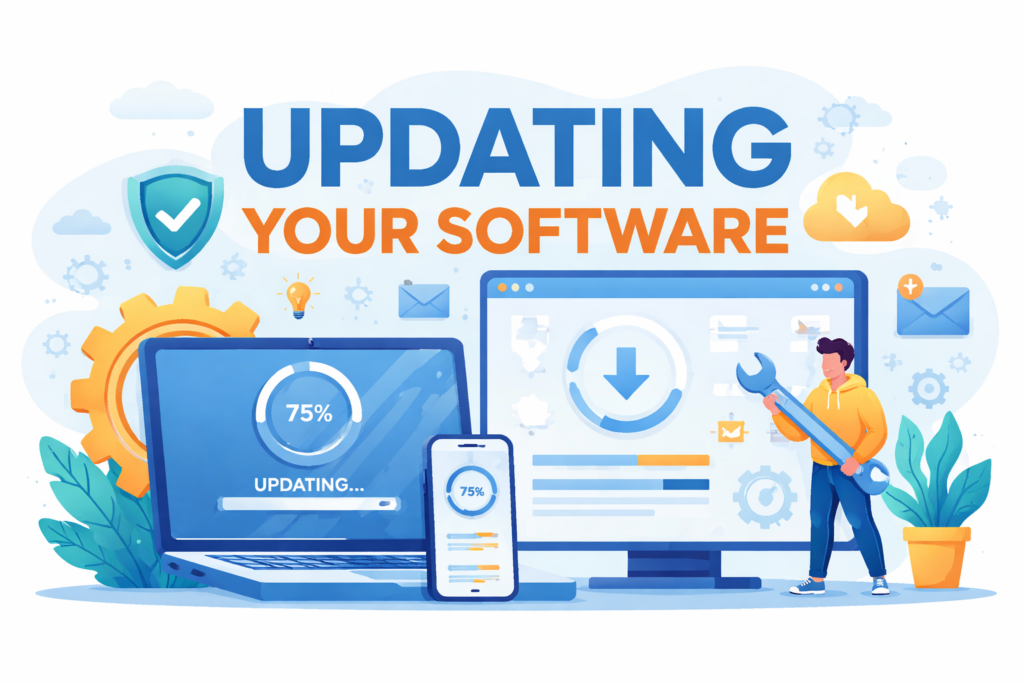
4. Update Your Software and Firmware

Unpatched systems are one of the easiest ways attackers get in. It’s not glamorous, but keeping your operating systems, applications, and network equipment updated closes known vulnerabilities that attackers actively exploit.

Set aside time this week to check for pending updates on workstations, servers, firewalls, and routers. If you have automatic updates enabled, verify they’re actually running.

Update your Software

Don’t forget: Firmware (the software built into your hardware) on routers, switches, and firewalls is often overlooked. Those devices sit on the edge of your network and need attention too.


5. Check Your Password Policy

If your organization doesn’t have a password policy, now is the time to create one. If you do have one, ask yourself: “Is anyone actually following it?”

A good password policy doesn’t have to be complicated. At minimum, it should require a reasonable length (16+ characters is the modern standard), prohibit known compromised passwords, and pair with MFA.

Pro tip: Password managers make strong, unique passwords practical for everyone on your team. If your people are still trying to memorize passwords, that’s a solvable problem.


The Bigger Picture

These five items won’t make your business bulletproof, but they address the most common ways small businesses get compromised. The reality is that most breaches don’t involve sophisticated attacks. They exploit the basics that never got done.

If you’ve knocked out these five and want to know what to tackle next, a structured security assessment can show you exactly where you stand and what to prioritize. That’s the kind of work we do at DC Security Solutions: practical, clear, and focused on what actually matters for your business.

– Derek, Founder of DC Security Solutions.


DC Security Solutions helps small and medium businesses assess, understand, and strengthen their security posture. Learn more about our consulting services here.