
Firewalls are one of those things that get set up once and then forgotten about. Someone configured the rules when the firewall was deployed, maybe years ago, and unless something broke, nobody’s looked at them since.

The problem? Networks change. Businesses change. And firewall rules that made sense two years ago might be silently exposing you today.
Here’s how firewall rulesets go wrong, what to look for, and how to get them back in shape.
Why Firewall Rules Drift
Firewall rule drift is one of the most common security issues in small and medium businesses. It happens gradually:
- A vendor needed temporary access and the rule was never removed.
- An application required a port to be opened and nobody documented why.
- Someone added an “allow any” rule to troubleshoot a problem and forgot to take it out.
- The network grew – new subnets, new servers, new cloud connections; and the rules didn’t keep pace.
- The original admin left and nobody else fully understands the ruleset.
None of these are malicious. They’re just the reality of how firewalls are managed in organizations without dedicated security teams. But the cumulative effect is a ruleset that no longer reflects your actual security requirements.
Red Flags to Look For
You don’t need to be a firewall expert to spot the most common problems. Here’s what should raise an eyebrow:
Overly Permissive Rules
- “Allow any to any” rules – these effectively turn your firewall into an expensive router. If you have one of these, it should be removed or scoped immediately.
- Wide-open port ranges – rules that allow traffic on ports 1–65535 or large ranges when only a specific port is needed.
- Rules allowing all outbound traffic – while common, unrestricted outbound access makes it easy for malware to phone home or exfiltrate data.
Stale Rules
- Rules referencing IP addresses that no longer exist in your network.
- Rules for decommissioned servers or services that were never cleaned up.
- Temporary rules that became permanent – if you see comments like “temp fix” or “remove after migration,” those are worth investigating.
Ordering Issues
Firewall rules are processed in order, top to bottom. A more permissive rule placed above a more restrictive one can effectively negate the restriction. Rule ordering mistakes are common and easy to miss.
No Documentation
If your rules don’t have descriptions or comments explaining their purpose, that’s a problem. Not because it’s a vulnerability per se, but because undocumented rules can’t be properly reviewed, and nobody will know which ones are safe to remove.
How to Do a Basic Review
If you want to take a first pass at your firewall rules, here’s a practical approach:
Step 1: Export Your Ruleset
Most firewalls let you export the current ruleset as a spreadsheet or text file. Get it into a format where you can read through it systematically.
Step 2: Identify “Any” Rules
Search for rules with “any” in the source, destination, or service fields. Each one should be reviewed. Ask: Does this rule need to be this broad, or can it be scoped to specific addresses and ports?
Step 3: Check for Unused Rules
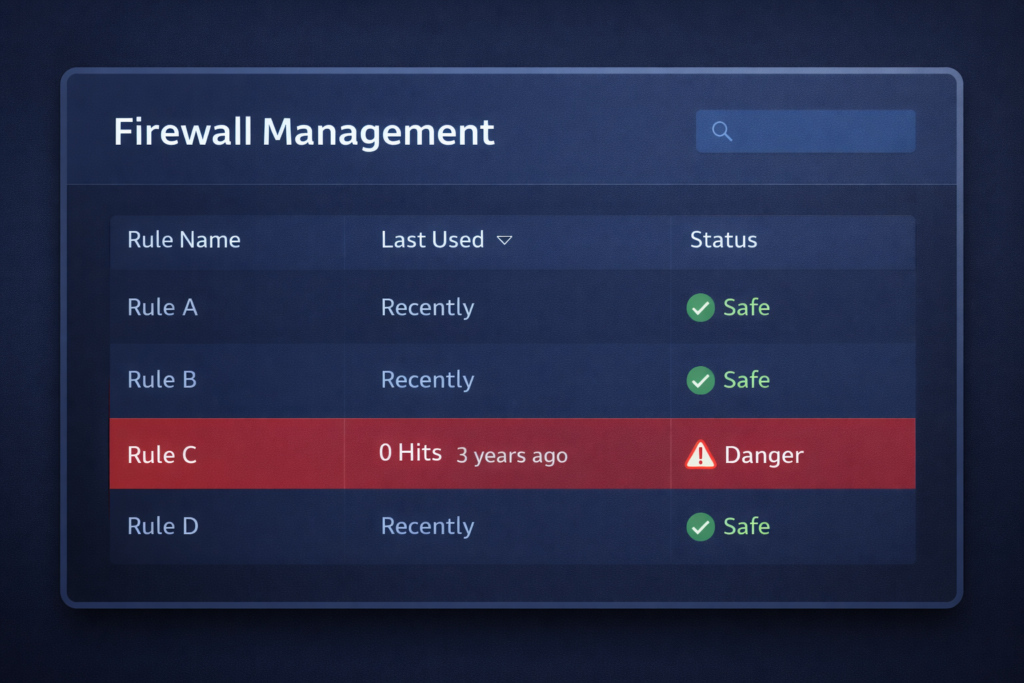
Many firewalls track hit counts, how many times each rule has been triggered. Rules with zero hits over the past 90 days are candidates for removal (after confirming they’re not seasonal or event-driven).
Step 4: Verify Rule Order
Walk through the ruleset top to bottom. Make sure deny rules aren’t being overridden by allow rules above them. Pay special attention to rules near the top of the list.
Step 5: Document Everything
For every rule you can’t immediately explain, find out why it exists. If nobody knows, that’s a strong signal it should be reviewed more carefully before being left in place.
When to Bring in Help
A basic review can catch the obvious problems, but a thorough firewall analysis goes deeper, examining traffic patterns, testing rule effectiveness, and aligning your ruleset with your actual business requirements and security policies.
This is particularly valuable if:
- Your firewall hasn’t been reviewed in over a year
- You’ve gone through significant infrastructure changes
- You’re preparing for a compliance audit
- You inherited a firewall configuration from a previous admin or MSP
- You have multiple firewalls or complex network segmentation
A professional firewall rules analysis produces a documented, prioritized set of recommendations, not just what to change, but why, and in what order.
The Bottom Line
Your firewall is only as good as its rules. And rules that aren’t regularly reviewed become a liability rather than a protection. The good news is that cleaning up a firewall ruleset isn’t rocket science; it just takes deliberate attention.
Start with the basics this week. Export your rules, look for the red flags, and clean up what you can. If you want a deeper review, that’s something we can help with, a structured analysis that gives you a clean, documented, and defensible ruleset.
– Derek, Founder of DC Security Solutions.
DC Security Solutions provides firewall rules analysis as part of our specialized security services. Learn more →